// project
EduPass Reader
Overview
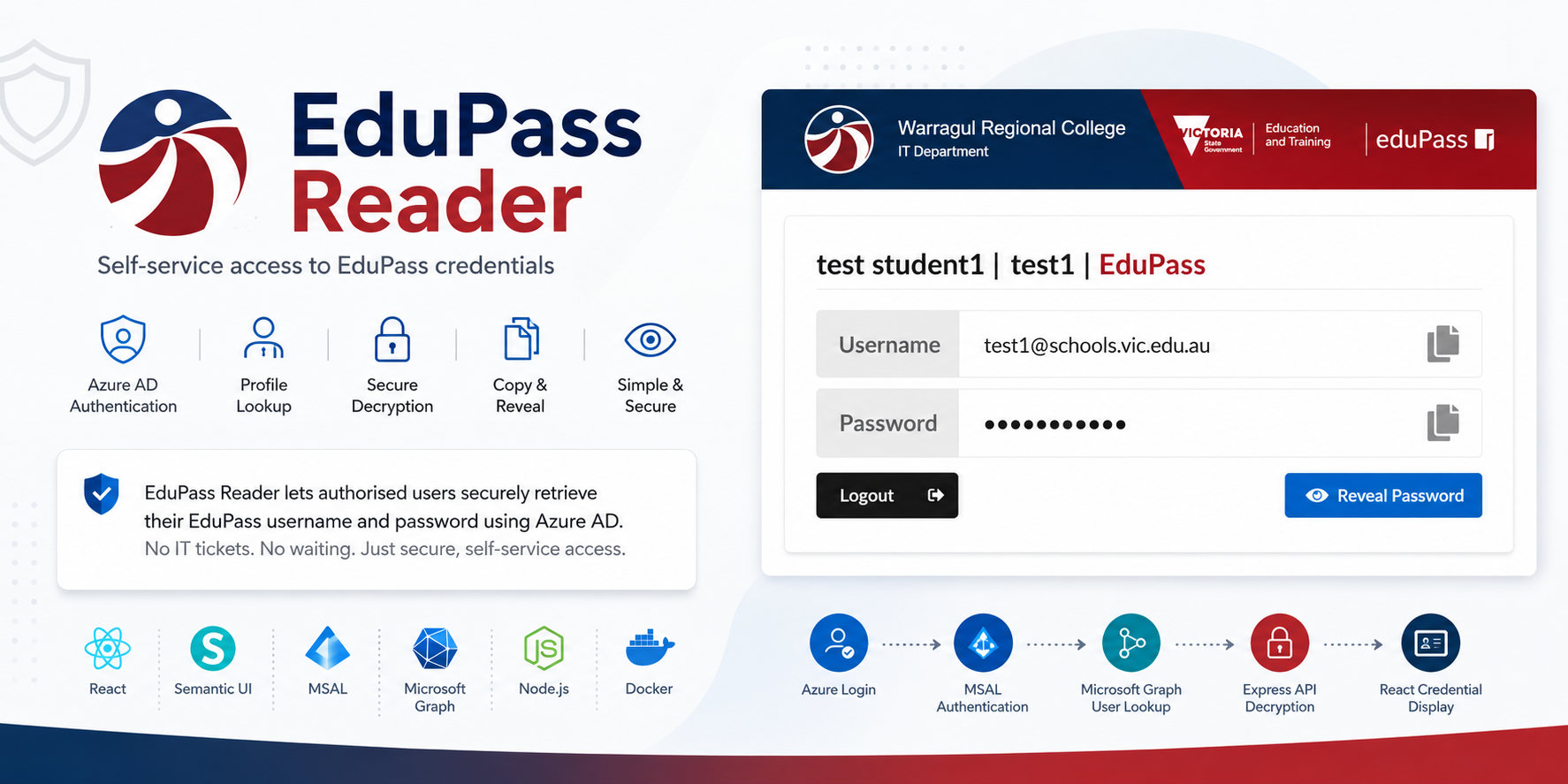
EduPass Reader is a web application designed to help users retrieve their EduPass credentials without needing direct support from IT staff.
Users sign in with their Microsoft Azure account, the app retrieves the relevant profile details, decrypts the stored EduPass credential data, and presents the username and password in a simple interface with copy and reveal controls.
The goal was to turn a support-heavy credential lookup workflow into a self-service experience while still requiring authenticated access through the organisation's Microsoft identity platform.
Key Features
- Azure AD authentication using MSAL
- Microsoft Graph profile lookup
- Secure backend decryption of EduPass credential data
- Copy buttons for username and password fields
- Password reveal and hide control
- Error state for users without an EduPass account
- React front end styled with Semantic UI
- Express backend serving both the API and production client build
Architecture
Azure Login
    -> MSAL Authentication
    -> Microsoft Graph User Lookup
    -> Express API Decryption Endpoint
    -> React Credential Display
The React client handles the sign-in flow and user interface, while the Express server exposes a small API for decrypting the stored credential payload.
In production, the Express server also serves the built React application, keeping the deployment model simple.
Technical Highlights
Azure Authentication
The client uses MSAL to authenticate users against Azure AD and request a Microsoft Graph access token.
Once authenticated, the application reads profile information needed to identify the user and derive the EduPass username shown in the interface.
Backend Credential Handling
Credential decryption is handled on the server rather than in the browser.
The client sends the authenticated user's profile data to the API, and the server returns the decrypted EduPass password when the payload can be successfully processed.
Focused User Interface
The front end is intentionally narrow in scope: sign in, view credentials, copy values, reveal or hide the password, then log out.
Semantic UI components provide the layout, inputs, buttons, and loading states, keeping the workflow familiar and direct.
Deployment Options
The project includes scripts for development, production packaging, and Docker-based builds.
It also includes Windows service configuration files, making it suitable for internal hosting on school infrastructure.
Problem Solved
EduPass credential access can become a recurring support request when users know their organisational login but cannot easily retrieve their EduPass details.
EduPass Reader reduces that load by providing a controlled self-service path:
- Verify identity with Azure AD
- Retrieve the correct user metadata
- Decrypt the matching EduPass credentials server-side
- Present the result in a clear, copy-friendly interface
Tech Stack
- React
- Semantic UI React
- MSAL
- Microsoft Graph
- Express
- Node.js
- Docker