// project
Kanrisha Class Manager
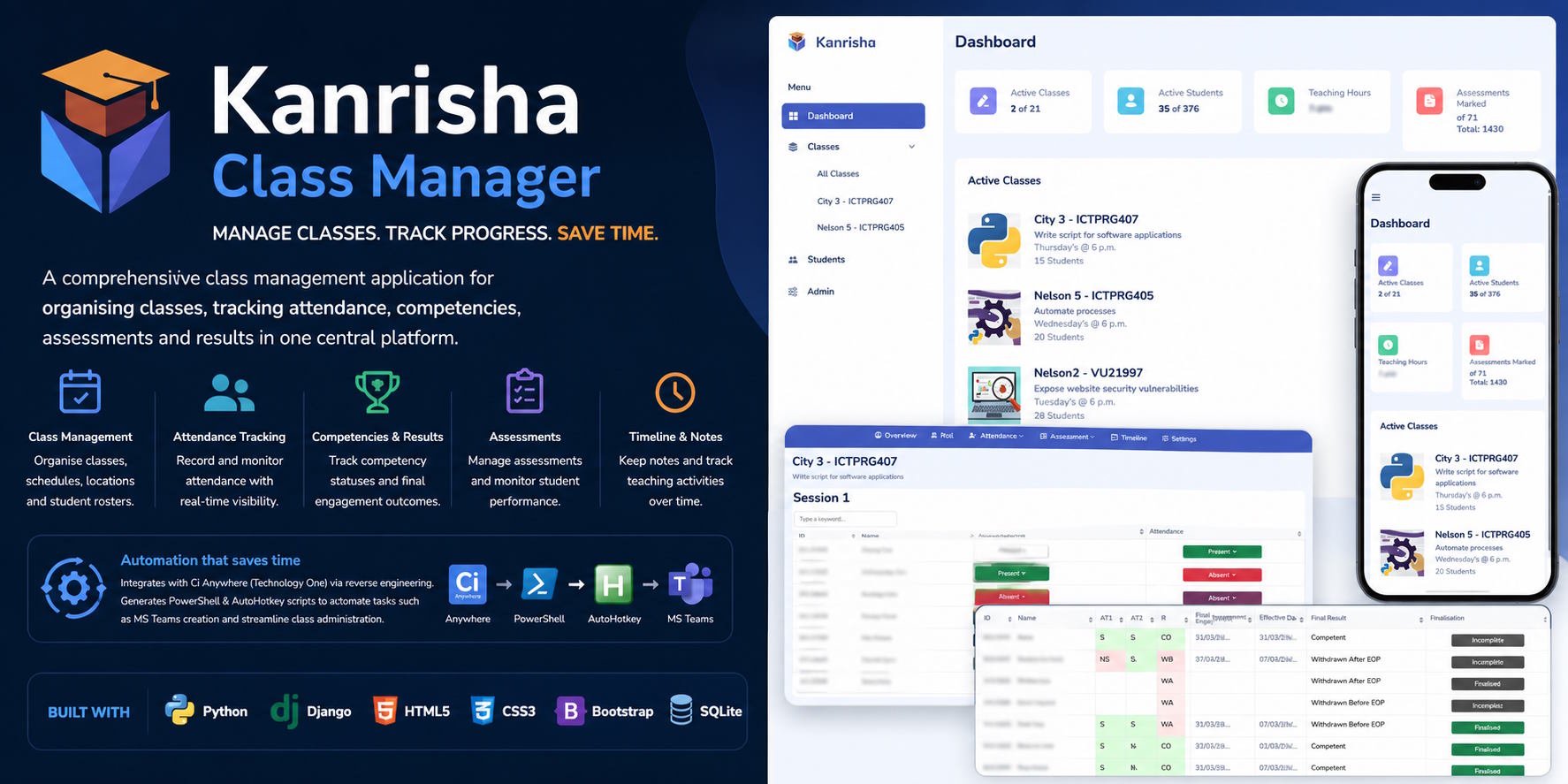
Overview
Kanrisha Class Manager is a comprehensive class management system built with Django, designed to centralise teaching operations, student tracking, and administrative workflows.
It provides a unified interface for managing classes, attendance, competencies, assessments, and results, while also automating repetitive administrative tasks through deep integration with external systems.
The platform was developed to replace fragmented tools and manual processes with a structured, workflow-driven system tailored for real teaching environments.
Key Features
Class Management
- Centralised view of all classes and schedules
- Tracks locations, sessions, and student enrolments
- Organises teaching workloads across multiple classes
Attendance Tracking
- Session-based attendance recording
- Quick status marking (present, absent, etc.)
- Historical attendance records per student
Competency & Results Tracking
- Tracks competency-based outcomes
- Visual indicators for progress and status
- Supports education frameworks requiring structured assessment tracking
Assessment Management
- Record and manage assessment outcomes
- Track completion and grading status
- Supports multiple assessment types
Dashboard & Analytics
- Overview of active classes and students
- Teaching workload visibility
- Real-time metrics (students, classes, assessments)
Timeline Workflow System
- Step-based class lifecycle tracking
- Guides administrative processes (setup → delivery → completion)
- Ensures consistency across classes
Automation & Integration
Ci Anywhere Integration (TechnologyOne)
Kanrisha integrates with proprietary business software (Ci Anywhere) through reverse engineering.
Automation Engine
- Uses PowerShell and AutoHotkey script generation
- Automates administrative workflows such as:
- Creating MS Teams for classes
- Importing student data
- Synchronising records
- Reduces manual interaction with external systems
This approach bridges gaps where APIs are unavailable, enabling automation in otherwise closed systems.
Architecture
[ Django Web Application ]
        ↓
[ Business Logic Layer ]
        ↓
[ Database ]
        ↓
[ Automation Layer (PowerShell / AutoHotkey) ]
        ↓
[ External Systems (Ci Anywhere, MS Teams) ]
Technology Stack
- Python (Django)
- Relational Database
- PowerShell
- AutoHotkey
- Web frontend (Django templates / JS)
UI / UX Highlights
Dashboard
- Clean overview of:
- Active classes
- Active students
- Teaching hours
- Assessment progress
- Card-based layout for quick insights
Class Management View
- List of all classes with:
- Schedule
- Student counts
- Course details
- Sidebar navigation for quick access
Attendance Interface
- Fast marking of attendance per session
- Colour-coded statuses
- Designed for real-time classroom use
Assessment Tracking
- Tabular assessment views
- Status-based grading indicators
- Clear progression tracking
Timeline Workflow
- Step-by-step process view
- Guides users through administrative tasks
- Integrates manual and automated steps
Mobile Responsiveness
- Optimised mobile dashboard
- Supports on-the-go usage
Example Use Cases
Teacher Workflow Management
- Manage multiple classes from a single dashboard
- Track attendance and assessments in real time
Compliance & Reporting
- Maintain structured records for competencies and outcomes
- Provide audit-ready data
Administrative Automation
- Automate class setup tasks (Teams creation, imports)
- Reduce repetitive manual work
System Integration Without APIs
- Bridge legacy systems using scripting automation
- Extend functionality of proprietary platforms