// project
PlatySync
Overview
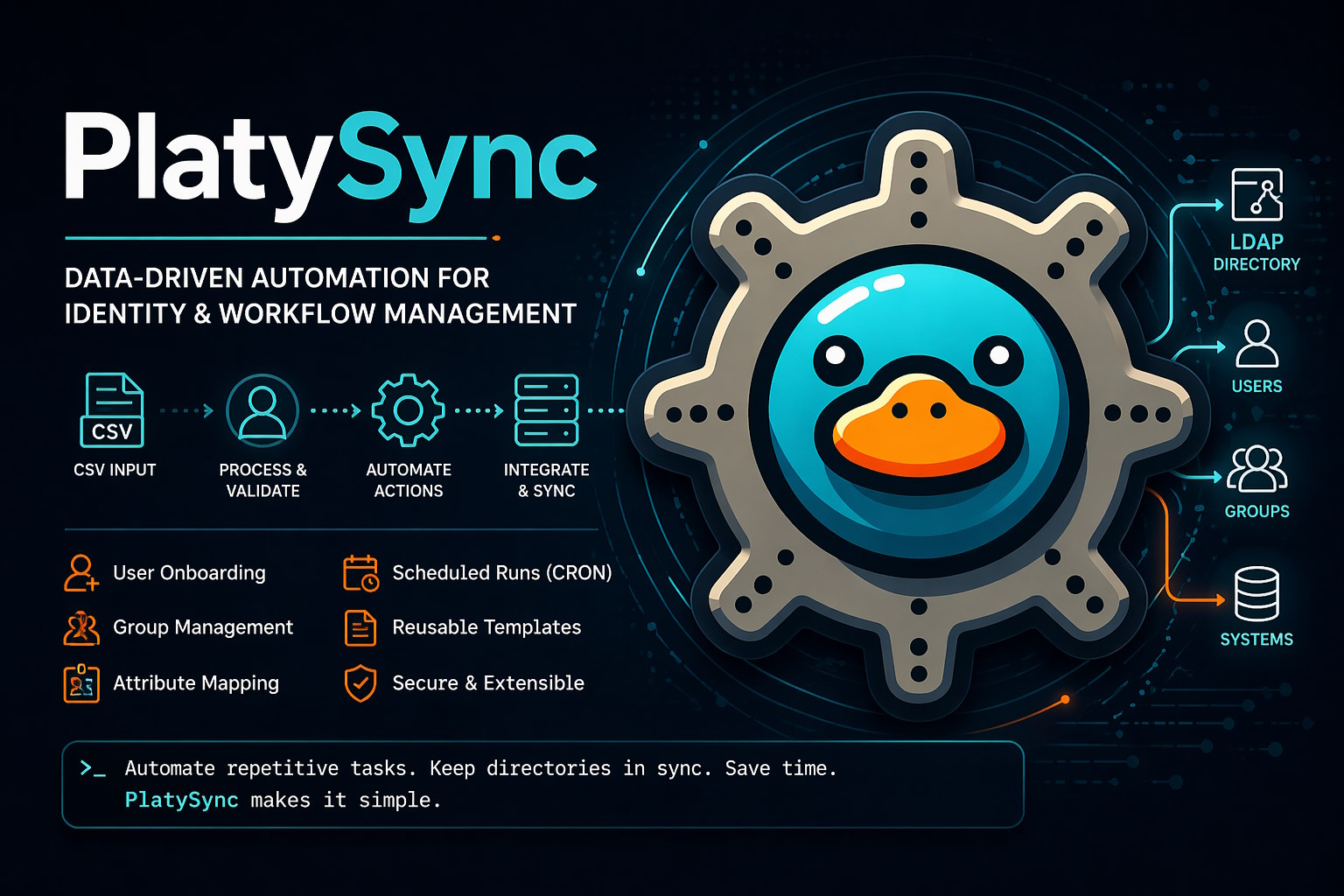
PlatySync is a free, open-source automation application designed to take structured input data, such as CSV files, and execute actions based on conditional logic for each row.
The project is especially useful for IT administrators and school technicians who need a repeatable way to transform source-of-truth data into real operational changes, such as updating LDAP directory records, producing onboarding documents, or running scheduled bulk actions.
Rather than requiring one-off scripts for every workflow, PlatySync provides a configurable web-based system for building, testing, scheduling, and running automation rules.
Key Features
CSV-Driven Automation
PlatySync can use CSV files as a source of truth and apply conditional logic to each row.
This makes it suitable for workflows such as:
- User account provisioning
- Directory updates
- Data cleanup
- Bulk changes based on spreadsheet exports
- Repeatable school administration tasks
CSV to LDAP
One of the primary use cases is automating LDAP directory management from CSV data.
This enables administrators to keep directory information aligned with external data sources without manually editing user records.
Onboarding Automation
PlatySync supports onboarding workflows by generating PDF documents from templates.
This is useful for producing repeatable user-facing materials such as:
- Account information sheets
- New-starter documents
- Student or staff onboarding packs
- Printed setup instructions
Bulk Actions
The application can perform bulk operations, including tasks such as renaming files in a folder using a naming convention.
This extends PlatySync beyond identity management and makes it useful as a general-purpose operations automation tool.
Template System
PlatySync includes a string template system with a scope explorer.
This allows automation rules to dynamically construct values using data from the current workflow context, making rules more flexible and easier to reuse.
Scheduling and File Monitoring
Rules can be executed automatically using CRON schedules or by monitoring a specific file for changes.
This allows PlatySync to support both time-based automation and event-triggered workflows.
Architecture
PlatySync is structured as a Node.js application with a browser-based management interface and a server-side automation engine.
CSV / File Inputs
        ↓
Schema + Rule Configuration
        ↓
Condition Evaluation
        ↓
Action Execution
        ↓
LDAP / Files / PDFs / Other Targets
| Layer | Purpose |
|---|---|
| Web interface | Configure users, schemas, rules, files, and schedules |
| Server runtime | Runs the application and automation engine |
| Rule system | Evaluates data and applies conditional actions |
| Template system | Builds dynamic strings from scoped data |
| Scheduling layer | Runs rules on CRON schedules or file changes |
| Target integrations | Performs actions against LDAP, files, PDFs, and other outputs |
Technical Highlights
Windows Service Support
The project includes npm scripts to install, start, stop, and uninstall PlatySync as a Windows service.
This makes the application suitable for always-on administrative environments where automation jobs need to continue running without a user session.
CRON Scheduling
Scheduled rules use CRON expressions, allowing administrators to run automations at predictable intervals.
File Change Monitoring
In addition to scheduled jobs, PlatySync can monitor a file path and trigger automation when the watched file changes.
This is useful when CSV exports or upstream data files are refreshed periodically.
TypeScript Codebase
The repository is primarily TypeScript, giving the project a more maintainable structure than a loosely typed scripting tool.
Example Use Cases
Student Account Lifecycle Management
A school technician exports a CSV from a student information system and uses PlatySync to update LDAP users, groups, or attributes based on the data.
Staff Onboarding
An administrator imports staff data and generates onboarding PDFs containing account details, setup instructions, or standardised welcome information.
Scheduled Directory Maintenance
A rule set runs automatically each morning to apply changes from an updated CSV source.
File Naming Standardisation
A folder of files is renamed in bulk according to a naming convention generated from structured data.
Repeatable Operational Workflows
Common admin jobs can be converted from manual processes into reusable schemas and rules.
Problem Solved
Many IT administration workflows are repetitive, fragile, and dependent on manual handling of CSV exports, directory tools, file systems, and documents.
PlatySync addresses this by providing a reusable automation platform that can:
- Ingest structured data
- Apply conditional rule logic
- Generate dynamic values using templates
- Execute actions against practical IT targets
- Run manually, on a schedule, or when files change
Design Philosophy
- Practical automation first: built around real administrative workflows.
- Configurable instead of hard-coded: reusable schemas and rules replace one-off scripts.
- Data-driven: CSV and other structured sources drive actions.
- Operator-friendly: web interface and first-run configuration reduce setup friction.
- Automation-safe: rules can be tested before being scheduled.
- Always-on capable: Windows service support enables unattended operation.
Notable Engineering Decisions
Rule-Based Automation Model
The project turns operational workflows into configurable schemas and rules, allowing non-trivial automation without requiring a new script for every task.
File and Schedule Triggers
Supporting both CRON schedules and file monitoring makes the system useful for batch jobs and event-driven workflows.
Template-Driven Values
The template system allows rules to construct dynamic values from workflow data, reducing duplication and improving reusability.
Service-Oriented Deployment
Windows service support makes PlatySync practical for real administrative environments where scheduled workflows need reliable uptime.